You can find the current Message Counter app here: https://play.google.com/store/apps/details?id=com.ae.apps.messagecounter
Showing posts with label app. Show all posts
Sunday, March 01, 2015
Message Counter 3 - Material Design Updates
More design updates come to Message Counter 3. We have implemented the navigation drawer with the sweet animation on the hamburger menu. On popular demand, the Chart is back. The latest update is on a staged rollout.
You can find the current Message Counter app here: https://play.google.com/store/apps/details?id=com.ae.apps.messagecounter
Sunday, February 15, 2015
Andorid Error : java.lang.NoSuchMethodError: android.View.getMinimumHeight
So I got reports of the error from my Play Store for my app Message Counter.
java.lang.NoSuchMethodError: android.View.getMinimumHeight
In the new build, I had implemented a custom view that reads the min width and height from the xml declaration. The app was working on all the devices that I test. However I did notice that the reports were made from Android devices Version 4.0 or below. Further digging and I found the below solution.
getMinimumHeight() is available in API 16+.
Use android.View.getSuggestedMinimumHeight() instead
It appears that ImageView.getMaxHeight() is also API 16+. Sadly I could not find any alternatives for this one.
Message Counter on Google Play
java.lang.NoSuchMethodError: android.View.getMinimumHeight
In the new build, I had implemented a custom view that reads the min width and height from the xml declaration. The app was working on all the devices that I test. However I did notice that the reports were made from Android devices Version 4.0 or below. Further digging and I found the below solution.
getMinimumHeight() is available in API 16+.
Use android.View.getSuggestedMinimumHeight() instead
It appears that ImageView.getMaxHeight() is also API 16+. Sadly I could not find any alternatives for this one.
Message Counter on Google Play
Wednesday, December 03, 2014
Message Counter 3.0 Beta
Material Love gets extended to Message Counter, after Random Contact. A fresh coat of paint, a new icon and use of some Material Design Principles is a start for the Beta version. This version is code named "Talisman" which follows "Silversun" and "Silvermoon". The updated code is available in GitHub as well.
As per Google Play regulations, only members of a test community are able to test these apps. So the community link is https://plus.google.com/communities/110966372903178356479.
From a technical standpoint, support has been added for AppCompat libraries, replaced ActionBar with a Toolbar. Using Toolbar should extend the experience to users with API less than 11 (Honeycomb). Use of padding, vibrant colors and card view are highlights of this build.
The first thing you will notice from the screenshot below is the use of Cards and a redesigned Counter screen. This will be the "hero screen" for the app.
Note that this is a work in progress and there may be some bugs or issues and do send them in. You can post them in the community or raise issues in the GitHub page for the project.
https://github.com/midhunhk/message-counter
Labels:
Android,
app,
Design,
Download,
programming,
Source Code
Wednesday, November 26, 2014
Random Contact with Material Design Love
It's been a while since my last blog post, I was obviously busy with my job, life and other important things. In between Android released the latest SDK and support libraries for taking material design to lower versions.
I have been slowly looking at the latest APIs and how to use them in my spare time. Once I was able to get hold of the latest SDK as well as Android Studio, I started to see how I could redesign some apps based on material design principles.
After doing a sample project that made use of all the new features, I started working on redesigning Random Contact app. Firstly this is a simple app, not too complicated in terms of features as well as low volume of users. Second of all, this app has not been updated in a long while. So a little love was on the cards.
Take a look at the new design below.
It will be interesting to note that the action bar and some text color change dynamically based on your contact's profile image. This is made possible due to a library called Palette which is part of Android. On a technical side, this app uses the following new features from Android.
https://play.google.com/store/apps/details?id=com.ae.apps.randomcontact
The source code for the app is available at github - https://github.com/midhunhk/random-contact
I have been slowly looking at the latest APIs and how to use them in my spare time. Once I was able to get hold of the latest SDK as well as Android Studio, I started to see how I could redesign some apps based on material design principles.
![]() |
| Random Contact 2.2 |
Take a look at the new design below.
It will be interesting to note that the action bar and some text color change dynamically based on your contact's profile image. This is made possible due to a library called Palette which is part of Android. On a technical side, this app uses the following new features from Android.
- Recycler View
- Toolbar
- Card View
- Palette
https://play.google.com/store/apps/details?id=com.ae.apps.randomcontact
The source code for the app is available at github - https://github.com/midhunhk/random-contact
Sunday, July 20, 2014
Redesigning the Message Counter App
With the developer release of Android L in June and the introduction of Material design, I've been thinking of redesigning the Message Counter app. Taking into account various principles mentioned and how they can be applied to this app, a few initial design thoughts are shared here.
So first impressions and suggestions will be very much helpful.
You can find the current Message Counter app here: https://play.google.com/store/apps/details?id=com.ae.apps.messagecounter
Variations on the color scheme are given below.
So first impressions and suggestions will be very much helpful.
You can find the current Message Counter app here: https://play.google.com/store/apps/details?id=com.ae.apps.messagecounter
Sunday, June 08, 2014
RoundedImageView in Android
The contact picture as it appears in Google+ inside a circle was part of the redesigned Random Contact app at the play store.
The solution was to create a custom View "RoundedImageView". Developed with help from stackoverlow.com, the custom view is released as an open source component that anyone can reuse.
![]() |
| RoundedImageView usd in Random Contact app |
This file is a part of the ae-apps-library project.
Source for RoundedImageView at https://github.com/midhunhk/
Labels:
Android,
app,
Open Source,
programming,
project
Saturday, May 24, 2014
PNR Status App
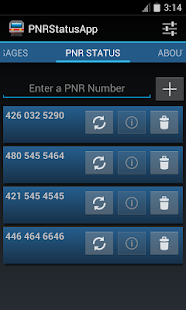
Finally the PNR Status App for Android was released on the Google Play Store a few weeks back. The latest version is 3.2 codenamed Marvin.
Don't worry about keeping track of your PNR Number or enter it each time you want to check the status. Use this app to store your PNR Number and check the status easily.
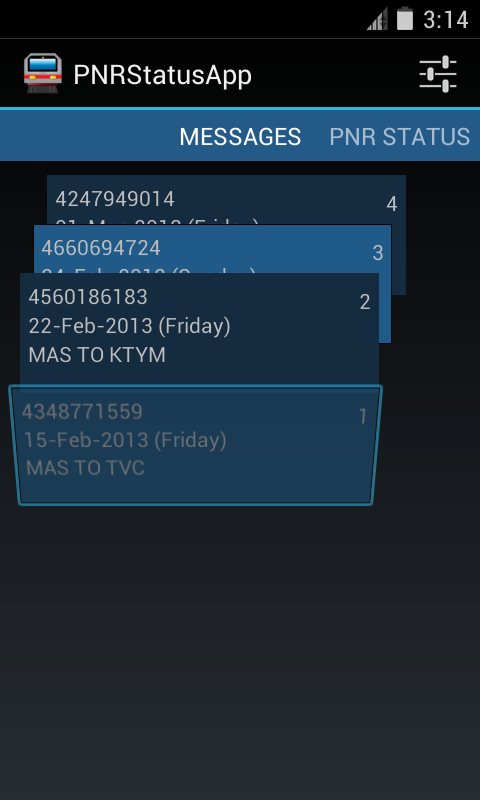
You can see a sorted list of ticket message details sent as confirmation for easily accessing your booking information.
Features:
- Follows Android Design principles
- High quality graphics and icon
- Multiple services to choose from
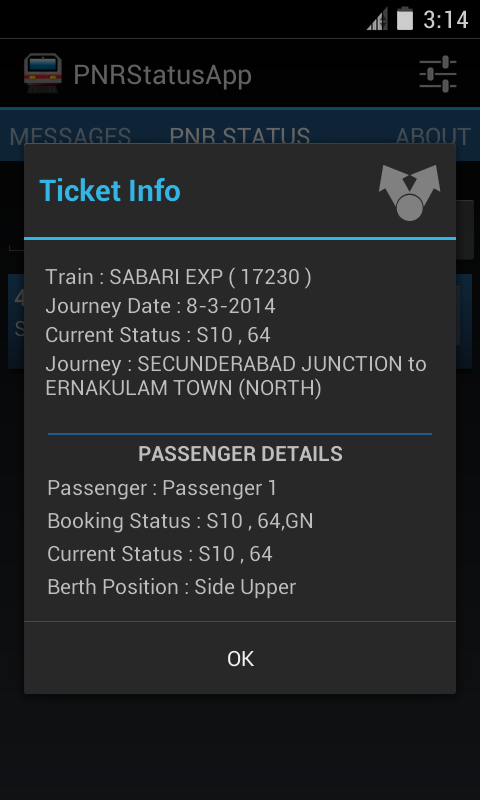
- Detailed PNR information
- Shows ticket information from IRCTC's SMS
- No Advertisments
- Free
- Open Source
Screenshots
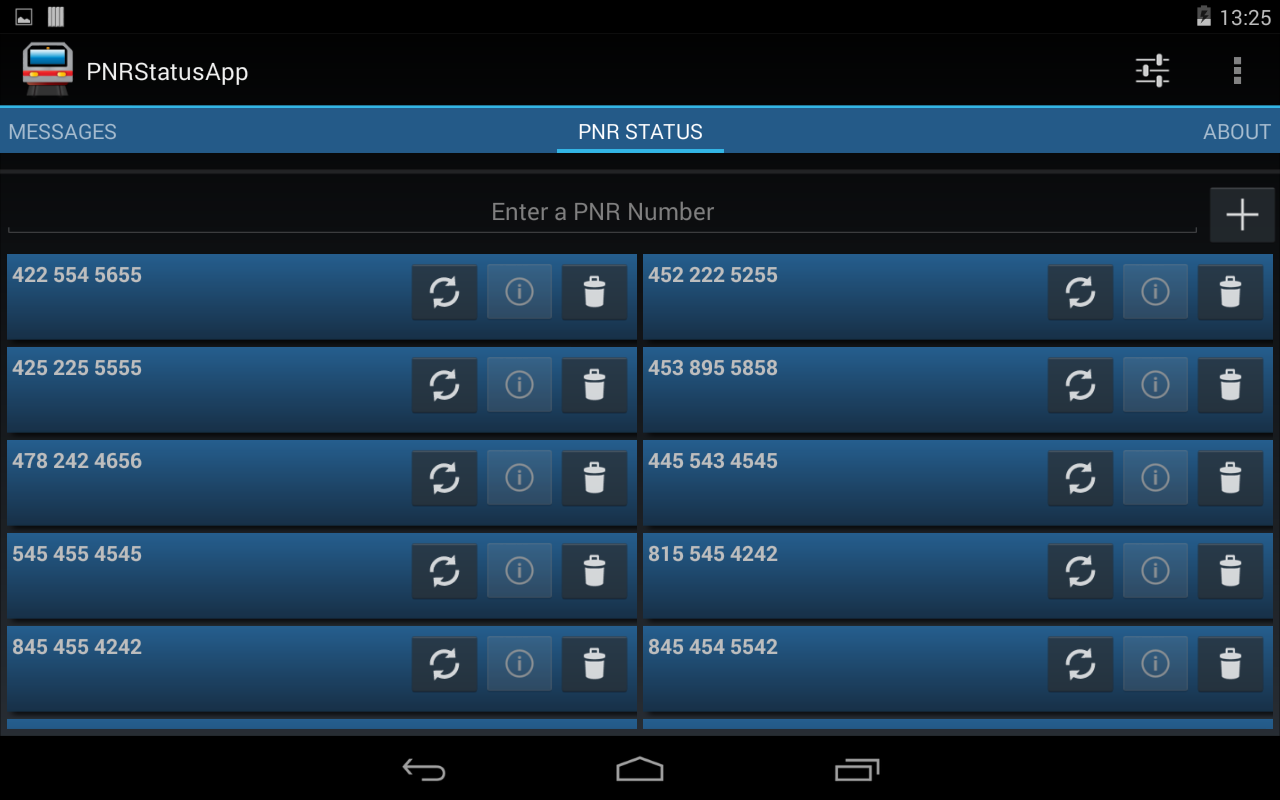
Did I mention that this app is designed for tablets as well?
This application is open source and free to use. The source code can be found at the following GitHub location. https://github.com/midhunhk/pnrstatusapp . Feel free to browse and
Find out more app details from https://www.facebook.com/AeAppLabs
Play Store Link: https://play.google.com/store/apps/details?id=com.ae.apps.pnrstatus.v3
Don't worry about keeping track of your PNR Number or enter it each time you want to check the status. Use this app to store your PNR Number and check the status easily.
You can see a sorted list of ticket message details sent as confirmation for easily accessing your booking information.
Features:
- Follows Android Design principles
- High quality graphics and icon
- Multiple services to choose from
- Detailed PNR information
- Shows ticket information from IRCTC's SMS
- No Advertisments
- Free
- Open Source
Screenshots
| On a 7 Inch Tablet |
This application is open source and free to use. The source code can be found at the following GitHub location. https://github.com/midhunhk/pnrstatusapp . Feel free to browse and
Find out more app details from https://www.facebook.com/AeAppLabs
Play Store Link: https://play.google.com/store/apps/details?id=com.ae.apps.pnrstatus.v3
Labels:
Android,
app,
Open Source,
PNRStatusApp,
project
Thursday, November 21, 2013
Design evolution of Random Contact app
Background
Just this week I published an app on Google Play Store called Random Contact. It all started when I was learning the Android Contacts API. I wanted to make an app myself that made use of the Contacts API so that I could learn and see it working in a real environment. Especially as I had a Google Nexus S, it was even more an incentive to develop and experiment my own apps and see them running on my phone.
Random Contact
So that was the reason for developing this app. There seemed no point in making another contacts app as the stock(default) one was very good and many third party apps available. So I thought of making an app that shows a random contact details. It has a surprise element to it.
Warning: This app is not meant to be a replacement for your Contacts / Dialer app. This is a fun app with no real use. The main reason this app is considered as part of "Useless Apps" internally.
The development started with an old version of Android API (2.2 to be precise), so I wasn't keeping in mind the latest design guidelines and the result was an ugly looking app with very little user experience
Redesign and Rewrite
After the Holo design came out solid Android Design guidelines became the De-facto standard, I went about researching on how to create a better User experience (UX) keeping in mind that this app has no special value to a user.
After going through brainstorming and multiple drawings on paper, came up with the new design. And in keeping with the time, rewrote most of the code against Android 4.3 APIs and is now available on the Play Store. Along the way some optimizations and new features were added.
Few people might have seen the original app, so below you can find a screen shot of initial screen, design on paper and the present day app.
Apps Library
I will touch on this in a future post, but one of the side effects of development this app was an Android library app that I created which makes use of mostly my research and studies. This will be an ever growing library which is open sourced and publicly available on GitHub. Any new Android projects can make use of this library to achieve similar functionality.
Try out the app
So if you are still interested in checking out this app, follow the link below to get it from the Play Store.

Just this week I published an app on Google Play Store called Random Contact. It all started when I was learning the Android Contacts API. I wanted to make an app myself that made use of the Contacts API so that I could learn and see it working in a real environment. Especially as I had a Google Nexus S, it was even more an incentive to develop and experiment my own apps and see them running on my phone.
Random Contact
So that was the reason for developing this app. There seemed no point in making another contacts app as the stock(default) one was very good and many third party apps available. So I thought of making an app that shows a random contact details. It has a surprise element to it.
Warning: This app is not meant to be a replacement for your Contacts / Dialer app. This is a fun app with no real use. The main reason this app is considered as part of "Useless Apps" internally.
The development started with an old version of Android API (2.2 to be precise), so I wasn't keeping in mind the latest design guidelines and the result was an ugly looking app with very little user experience
Redesign and Rewrite
After the Holo design came out solid Android Design guidelines became the De-facto standard, I went about researching on how to create a better User experience (UX) keeping in mind that this app has no special value to a user.
After going through brainstorming and multiple drawings on paper, came up with the new design. And in keeping with the time, rewrote most of the code against Android 4.3 APIs and is now available on the Play Store. Along the way some optimizations and new features were added.
Few people might have seen the original app, so below you can find a screen shot of initial screen, design on paper and the present day app.
![]() |
| Left : First version, Middle : redesign on paper, Right : Completely redesigned UI |
Apps Library
I will touch on this in a future post, but one of the side effects of development this app was an Android library app that I created which makes use of mostly my research and studies. This will be an ever growing library which is open sourced and publicly available on GitHub. Any new Android projects can make use of this library to achieve similar functionality.
Try out the app
So if you are still interested in checking out this app, follow the link below to get it from the Play Store.

Labels:
Android,
app,
Design,
Download,
Logo,
Open Source,
programming,
project,
Source Code
Wednesday, November 06, 2013
RandomContact - New App Announcement
After being in an internal Proof of Concept project, one more Android app will soon be seen by the external world. I was learning to work with the ContactsContacts API. This API is a contract between the Contacts provider and applications.
Most of the code related to accessing the API is done as part of a library project called aeappslibrary, the code for which is open source and already available in GitHub. This library can be reused by other projects to work with the API. There have been hours spent on studying the API while developing this library. MessageCounter is an application that already utilizes this library.
It was near the end of 2012 that I started learning about the Android's ContactContract API. In order to learn the various parts of the API, I decided to create an Android App. That turned out to be a simple app called Random Contact. The UI was very basic and not very attractive - the sole reason it has lived its life as an internal app.
The Random Contact application shows you a Contact randomly picked from your contacts list. It will list all the contact numbers and easily allow you to call or text them. Other details that we can get using the API are the times that person has been contacted and the last date of contact. While you may think these features as boring, we think there could be fun uses.
When can you see the app live? Work on version 2, a completely redesigned version, is on steroids for the past few days. As much as the challenges are exciting, I shall provide here, for the first time, an internal road map for any app's development. A Beta release on Google Play is not too distant as of now.
The source code for this app is expected to be released under Apache Licence Version 2.0 on GitHub.
With the supported features as explained earlier, I would appreciate to see some rough drawings on how you expect the UX for the app.
Labels:
Android,
app,
Design,
Open Source,
project,
Source Code
Monday, July 29, 2013
Message counter privacy policy
Message counter (the "app") does not collect offer share any personal information.
For displaying the data, the app accesses your contacts and message databases stored in the phone. However these information is not stored or shared.
The privacy policy for the app has been updated on 29 July 2013.
If you have any questions or concerns, please submit a comment or send an email to aeapplabs-support at live.in
Subscribe to:
Posts (Atom)