Showing posts with label Open Source. Show all posts

Wednesday, July 02, 2014

Material Design Wallpapers

So Google made the Android L developer preview last week. In a couple of screenshots, they had shown images based on material design and I thought they would look cool as wallpapers. So I created a couple of artworks based on them. You are free to use them as wallpapers or in other creative ways.

Up above you can see my current home screen, you may be able to spot a widget for MessageCounter which is in development as well. So without any wait, here are 2 images. Click on them for a full screen version and download to use them as you like.

The following images are licensed under Creative Commons license. http://creativecommons.org/licenses/by-sa/3.0/. You are free to use these images subject to the terms of this license.

Creative Commons License
Material design Wallpapers by midhunhk is licensed under a Creative Commons Attribution 4.0 International License.


Update: One more artwork is here. This one is my current wallpaper.

Watch out for more updates.

Update 2: The complete wallpapers and as well as future updates can be found at :  https://plus.google.com/photos/114665288998361746888/albums/6121148941176472961

Sunday, June 08, 2014

RoundedImageView in Android


The contact picture as it appears in Google+ inside a circle was part of the redesigned Random Contact app at the play store.

The solution was to create a custom View "RoundedImageView". Developed with help from stackoverlow.com, the custom view is released as an open source component that anyone can reuse.

RoundedImageView usd in Random Contact app
The RoundedImageView extends android.widget.ImageView and basically applies a circular mask over the image by overriding the onDraw() method.

This file is a part of the ae-apps-library project.

Source for RoundedImageView at https://github.com/midhunhk/ae-apps-library/blob/master/library/AeAppsLibrary/src/com/ae/apps/common/views/RoundedImageView.java

Saturday, May 24, 2014

PNR Status App

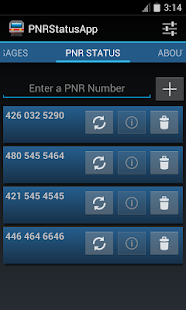
Finally the PNR Status App for Android was released on the Google Play Store a few weeks back. The latest version is 3.2 codenamed Marvin.

Don't worry about keeping track of your PNR Number or enter it each time you want to check the status. Use this app to store your PNR Number and check the status easily.
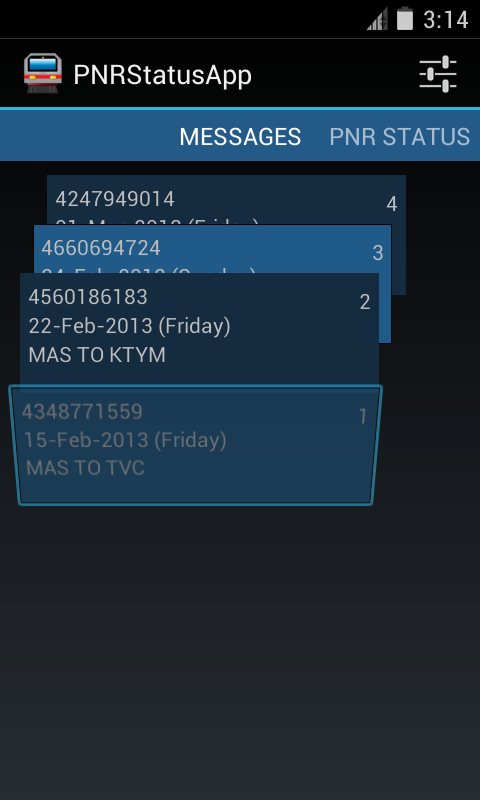
You can see a sorted list of ticket message details sent as confirmation for easily accessing your booking information.

Features:
- Follows Android Design principles
- High quality graphics and icon
- Multiple services to choose from
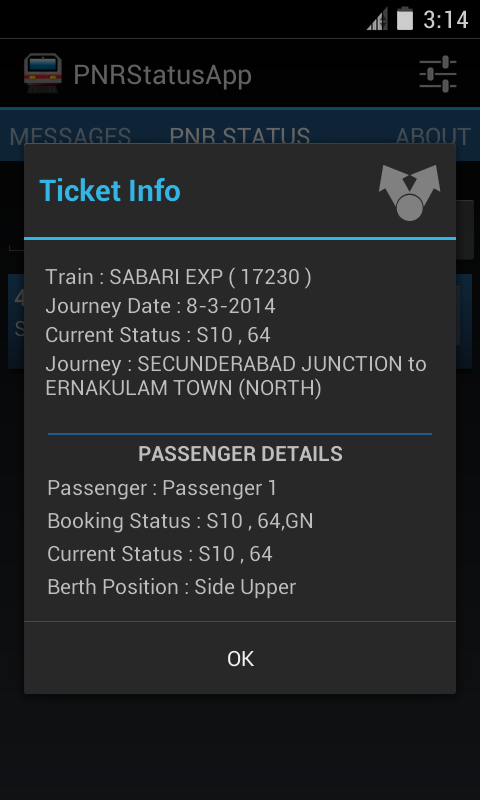
- Detailed PNR information
- Shows ticket information from IRCTC's SMS
- No Advertisments
- Free
- Open Source

Screenshots


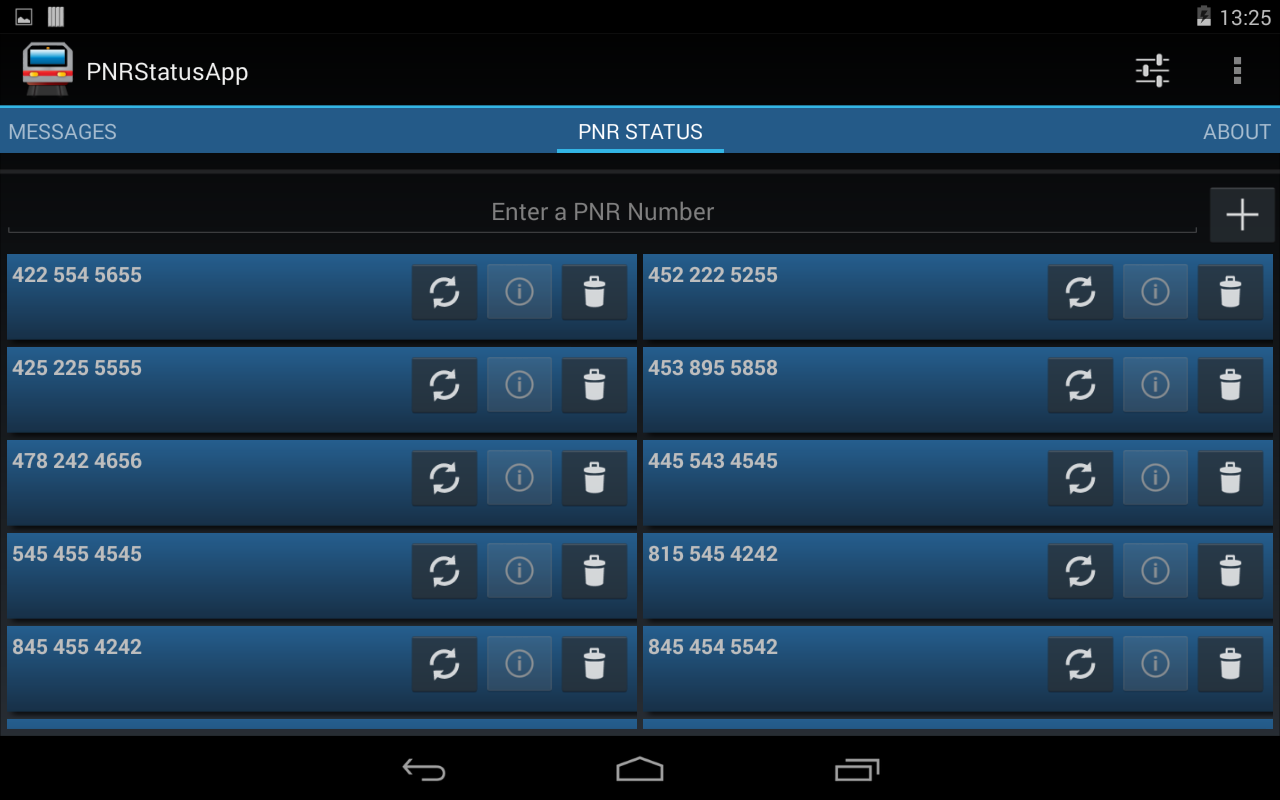
Did I mention that this app is designed for tablets as well?

On a 7 Inch Tablet


This application is open source and free to use. The source code can be found at the following GitHub location. https://github.com/midhunhk/pnrstatusapp . Feel free to browse and

Find out more app details from https://www.facebook.com/AeAppLabs
Play Store Link: https://play.google.com/store/apps/details?id=com.ae.apps.pnrstatus.v3

Thursday, November 21, 2013

Design evolution of Random Contact app

Background
Just this week I published an app on Google Play Store called Random Contact. It all started when I was learning the Android Contacts API. I wanted to make an app myself that made use of the Contacts API so that I could learn and see it working in a real environment. Especially as I had a Google Nexus S, it was even more an incentive to develop and experiment my own apps and see them running on my phone.

Random Contact
So that was the reason for developing this app. There seemed no point in making another contacts app as the stock(default) one was very good and many third party apps available. So I thought of making an app that shows a random contact details. It has a surprise element to it.

Warning: This app is not meant to be a replacement for your Contacts / Dialer app. This is a fun app with no real use. The main reason this app is considered as part of "Useless Apps" internally.

The development started with an old version of Android API (2.2 to be precise), so I wasn't keeping in mind the latest design guidelines and the result was an ugly looking app with very little user experience

Redesign and Rewrite
After the Holo design came out solid Android Design guidelines became the De-facto standard, I went about researching on how to create a better User experience (UX) keeping in mind that this app has no special value to a user.

After going through brainstorming and multiple drawings on paper, came up with the new design. And in keeping with the time, rewrote most of the code against Android 4.3 APIs and is now available on the Play Store. Along the way some optimizations and new features were added.

Few people might have seen the original app, so below you can find a screen shot of initial screen, design on paper and the present day app.

Left : First version, Middle : redesign on paper, Right : Completely redesigned UI


Apps Library
I will touch on this in a future post, but one of the side effects of development this app was an Android library app that I created which makes use of mostly my research and studies. This will be an ever growing library which is open sourced and publicly available on GitHub. Any new Android projects can make use of this library to achieve similar functionality.

Try out the app
So if you are still interested in checking out this app, follow the link below to get it from the Play Store.
Get it on Google Play

Wednesday, November 06, 2013

RandomContact - New App Announcement


After being in an internal Proof of Concept project, one more Android app will soon be seen by the external world. I was learning to work with the ContactsContacts API. This API is a contract between the Contacts provider and applications.


Most of the code related to accessing the API is done as part of a library project called aeappslibrary, the code for which is open source and already available in GitHub. This library can be reused by other projects to work with the API. There have been hours spent on studying the API while developing this library. MessageCounter is an application that already utilizes this library.

It was near the end of 2012 that I started learning about the Android's ContactContract API. In order to learn the various parts of the API, I decided to create an Android App. That turned out to be a simple app called Random Contact. The UI was very basic and not very attractive - the sole reason it has lived its life as an internal app.

The Random Contact application shows you a Contact randomly picked from your contacts list. It will list all the contact numbers and easily allow you to call or text them. Other details that we can get using the API are the times that person has been contacted and the last date of contact. While you may think these features as boring, we think there could be fun uses.

When can you see the app live? Work on version 2, a completely redesigned version, is on steroids for the past few days. As much as the challenges are exciting, I shall provide here, for the first time, an internal road map for any app's development. A Beta release on Google Play is not too distant as of now.


The source code for this app is expected to be released under Apache Licence Version 2.0 on GitHub.

With the supported features as explained earlier, I would appreciate to see some rough drawings on how you expect the UX for the app.

Sunday, August 04, 2013

Message Counter 2: Open source android app

Message counter 2 is an open source android app which displays the count of sms received from each contact. The development on this app is basically for educational purposes


The app is developed by a single developer during his free time, among other projects. So there is not much dedicated support but all efforts will be made to add new features and fix any issues.

The latest update includes features, improvements and optimizations. As well as experimental support for French language.

Download the Android app from the Play Store.
Get the Source code from GitHub.
Facebook Page

Friday, June 28, 2013

Bing Image Parser

How many people have noticed the different images that are displayed on the home page of the search engine Bing? I used to visit the Bing homepage just to check the image each day. As an aside you can get some trivia on the US version of the site.


It was then that I had an idea to see if there was a way to automate the way to see different images that are provided by Bing. After a search, done ironically, on well "Google" (Searching on Google is like second nature for me), I was able to get an RSS feed URL for the Bing images, and able to parse it using a small Java application.

The reason behind choosing a source which gives data as RSS is that it is a standard. What the core of this application does is parse an RSS Feed. The other functionality like console, ability to save image and other settings are built around this core. So essentially this can be reused to parse other RSS Feeds.
The UI is not very fancy, it is a invoked via command line and there is a windows shell script that can be used to run it easily. (Make sure you have Java runtime installed). If you don't want the source code, you can grab a build file (zip file with the application and shell script file) from GitHub.

After getting the build file, extract it to a folder, edit the "settings.properties" file and run the "run-biotd.cmd" file. If you are opting to save the images to disk, make sure that the folder specified exists.


The entire eclipse project is now available at GitHub and licensed under the "Apache License Version 2.0" at the link below.
https://github.com/midhunhk/the-bing-image-of-the-day-parser

Build no 0.4.5 is available at
https://github.com/midhunhk/the-bing-image-of-the-day-parser/blob/master/BIotD/builds/BIotD_0.4.5.zip

Make sure to check these out and watch out for future updates. You can use this source code to parse any other RSS feed response and make an awesome app, so don't wait up.

Friday, November 23, 2012

PNRStatusApp v3 (for Android)

And thus the long awaited major update to PNRStatusApp (for Android) is nearly here. In the midst of very hectic work schedule, with new features and a new look the version 3 is almost completed. However taking advantage of the latest APIs (Application Programming Interfaces) provided by the Android platform, this version is only supported from Android Honeycomb (3.0) and above. The old version supported from Android Froyo (2.2) and above.


The newest feature added is the ability to search the message inbox for messages from IRCTC regarding booked tickets and displaying detailed information. This part still requires some more tweaking on.


The Messages are displayed in a 'StackView' that lets the user scroll through the list of messages.

More information coming soon...

Tuesday, July 29, 2008

Cryptx 5 Beta 1 Release

   Cryptx 5 development has come massive distances after the project almost got scrapped due to various problems faced during development. Although there are minor flaws in it, we are happy to release it as a Beta 1 so that developers from around the world can help make this project better.

the download link for the CR5-B1 is as follows : 

http://www.mediafire.com/?d5n7331z40y

Screen shot
-------------

   Please understand that this release is not fully complete and has some bugs and problems in it. Some known issues are

* No Help included

* Encryption writes log incorrectly

* Decryption does not write a log

* Need to optimise code for execution pipelines

* command line arguments might be needed to be formatted again

* encrypted file size is larger than original or decrypted file.

Features that are already there include :
-----------------------------------------------

* Rich HTA based GUI

* Work History denoting the various steps that went through the development of the project

* CTimer class to follow time taken for processing the data.

* AES 128 bit encryption

* Encrypted data is stored as HEX for added protection.

* Password is not stored in the encrypted file, only a hashed string. (MD5 can be implemented easily for extra protection of the pasword. It can be done from within the HTA interface).

Updates available at : http://www.cryptx5.co.nr

Hoping for some favourable reply ....


Thursday, July 24, 2008

Calculate File size with C++

Programming .....

  The following is a C++ program to calculate file size of a file. It has been tested to correctly report file sizes upto 4Gb, ofcourse used 32 bit compiler!

--Begin--

/* getFileSize.cpp
 * Gets the file size of a DiskFile
 *
 * Midhun Hk (Centrum inc Software Solutions)
 * July 2008
 * $ v 0.1
 **/

# inculde <ifstream>
# include <iostream>

void main()
{
    ifstream is;
    unsigned long fileSize = 0L;

    is.open("FileName.bin");   // Open the file
    if(is.good())                    // If file is opened successfully
    {
           // calculate FileSize
           is.seekg(0,ios::end); // move 0 bytes from end
           fileSize = is.tellg();   // get offset
           is.seekg(0,ios::beg); // rewind
     }

      cout<<"File Size is : "<<fileSize<<:" bytes";
}

--End--

Hope this has been useful.

Saturday, May 24, 2008

FileSplitter 1.9 Beta - Download with Source

     Here is another completed project from us. Its called File Splitter and basically designed to split a large file into a number of smaller parts and to be able to rejoin them. Ofcourse you may not readily feel any need for such an application, but the point here is that it can be done and the project is Open Source and so everyone can learn from it.

   To have a look at the main features, look at the promotional poster given below :


The interface is done with the HTA technology which will be discussed here soon.

File Name : FileSplitter_1.9.zip (415.19 KB)
Download link : http://www.mediafire.com/?un2zjr3oz9m